Track Nutrition. Fuel Your Goals.

Makroni helps you track your calories, protein and other macros with ease so you can stay consistent, see progress and crush your goals

Track Every Single Bite

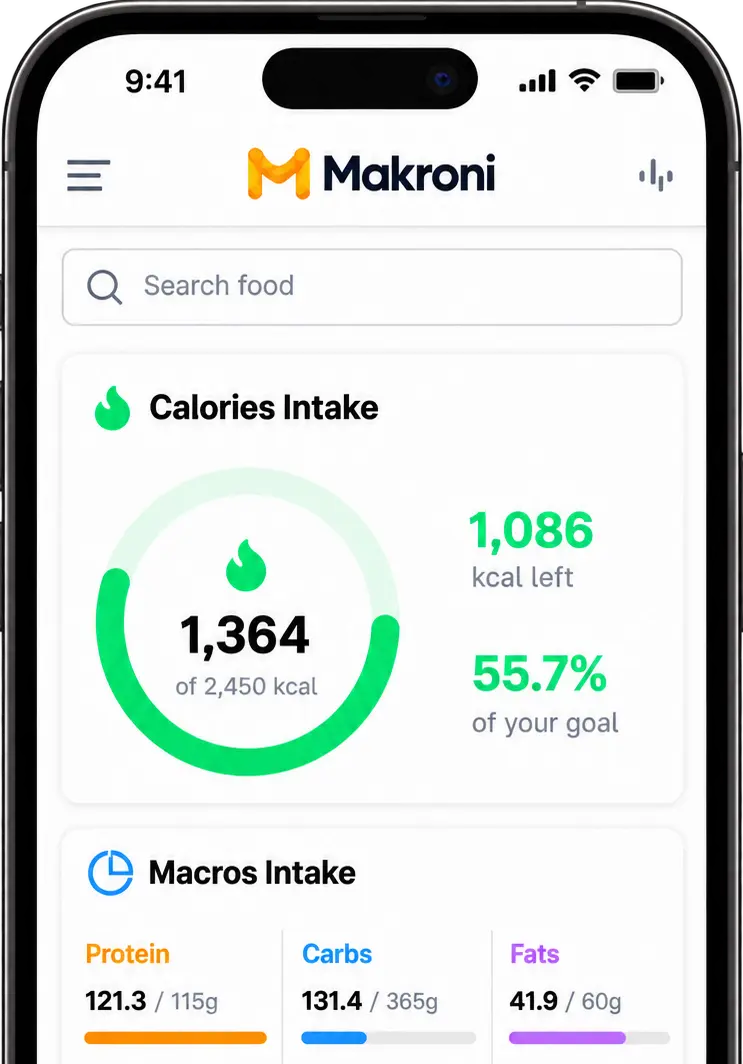
Stay on Track With Your Goals

Monitor your daily calorie and macro intake with a clear, easy-to-understand overview. See your progress toward your nutrition goals and make smarter choices throughout the day.
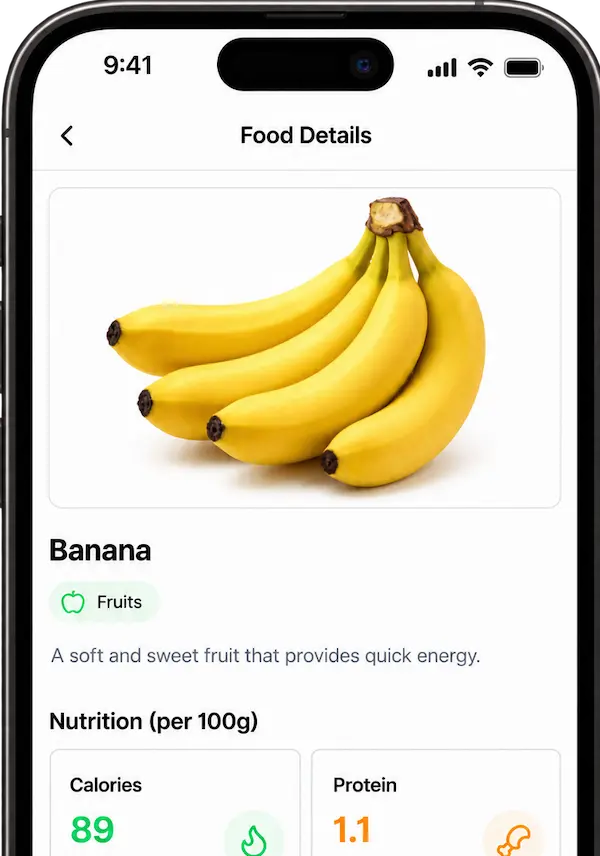
Explore Food Nutrition

Find the nutritional details of your favorite foods in one place. See calories, protein, carbs, and fats per 100g, learn more about what you're eating, and add it directly to your meal.
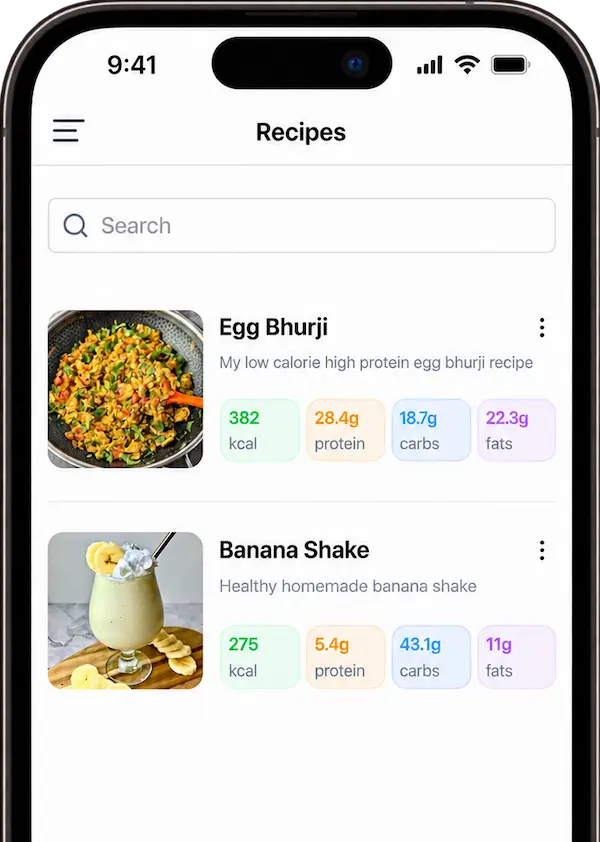
Your Recipes, Your Nutrition

Build recipes with the ingredients you actually use and let Makroni calculate their nutritional values. Save your homemade meals and easily add them to breakfast, lunch, snacks, or dinner.
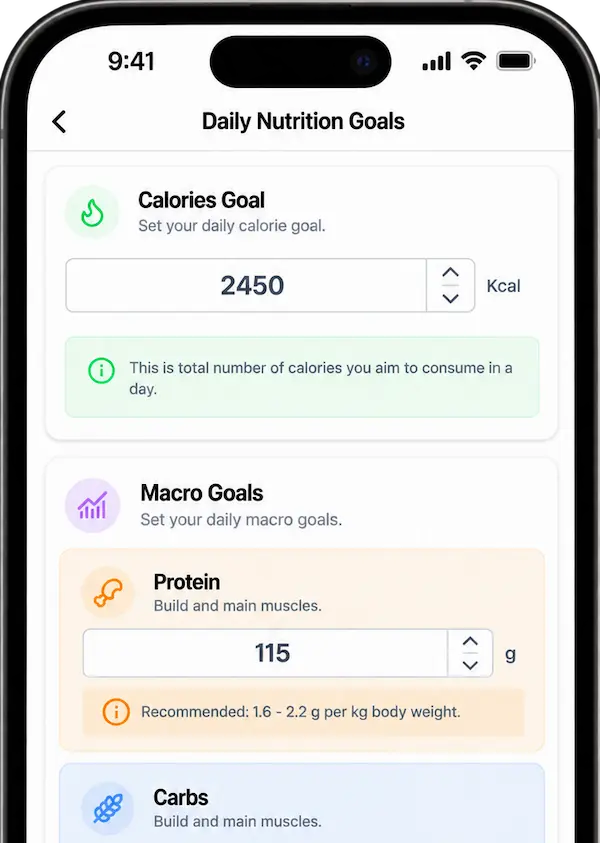
Set Your Nutrition Goals

Set and update your daily calorie and macro targets based on your personal needs and fitness goals. Adjust calories, protein, carbs, and fats anytime as your goals change and your nutrition journey evolves.
Q&A

Yes! 🎉 Makroni is absolutely free. All you need to do is sign up and get started on your fitness journey. 💪
Using Makroni is pretty straightforward. After signing up, you'll be redirected to your dashboard, where you can see all your nutrition-related data. 📊

On the dashboard, you'll find four meal categories — Breakfast, Lunch, Snacks, and Dinner. I decided to divide your daily meals into these four categories because munching throughout the day isn't a good habit.

You should pay attention to what you eat and when you eat it. Whatever you eat can be added to one of these meal categories.

Let me explain how to use these categories with an example. 👇

Suppose you had milk and a banana for breakfast. All you need to do is select the Breakfast category by clicking on it. You'll be redirected to a page where you can find and add the food items you've had for breakfast.

To add a food item, simply search for it by name and add it.

Here, you can also see the individual nutrition values you've consumed through breakfast. This makes it easy to analyze each meal and make adjustments if needed.
First, you need to understand that no application can accurately determine the nutritional values of a homemade meal from a photo alone. 📸

That's because it doesn't know how much oil you used or the exact quantity of each ingredient. Without that information, it's impossible to accurately determine the nutritional values of your homemade meal.

To tackle this problem, I've introduced the Recipe section.
Here, you can create your own recipes by selecting all the ingredients you used and specifying their quantities. Once you've created a recipe, you can add it to your meals just like any other food item. 👨‍🍳

Suppose you have a high-protein oats recipe that you like to have for breakfast. First, create the recipe in the Recipe section by selecting all its ingredients — for example, oats, milk, whey protein, etc.

Once you've created the recipe, go back to the Breakfast meal category and add it by simply searching for its name.

You can also add the recipe to other meal categories if you wish. It will be available across all meals, just like any other food item.

Made for people who are serious

Makroni is completely free and is here to help you stay accountable, make better choices and transform your progress into results.

success